Pronto - San Diego
- 4.5
- Rating
- 500.00K
- Installs
- Free
- Price

 Analysis by App-foxy
When I need to use public transport around San Diego, the annoying part is often not the ride itself but getting the fare sorted before I board. That is where Pronto - San Diego fits in. It is a free Travel & Local app from San Diego MTS for handling MTS and NCTD fares, and my impression is that it works best when I treat it as the starting point for the whole trip rather than as a simple timetable shortcut.
The appeal is easy to understand: I can prepare the payment side of a journey on my phone instead of stopping to work out fare options at the last moment. The app has a 4.5 average from around 4.5K ratings, with roughly 1.7K written reviews, and more than 500K installs. Those figures suggest that it has become a familiar tool for people using the regional transit network, not just a niche utility for occasional visitors.
From planning a ride to boarding with the fare ready
I find the most useful way to approach the journey is to separate fare preparation from route decisions: first work out where and when you need to travel, then make sure the payment step is ready before leaving. That keeps the phone task from competing with watching for a bus or finding a platform. It also sets up the next part of the routine: checking that the fare is ready when it is time to board.
You May Also Like

 Blood Strike: 2.5 Anniversary
Blood Strike’s Loadouts Turn Every Drop Into a Tactical Gamble
A close look at Blood Strike’s custom loadouts: how fast access to signature weapons reshapes its battle royale rhythm, rewards preparation, and narrows the gap between fights.

 Pandora - Music & Podcasts
Pandora’s Music Is Easy to Start, but Harder to Recover
Pandora’s strength is its low-effort path from a seed to a station. Its weak spot is how much confidence it asks you to place in connection, setup, and quiet recovery.

 8 Ball Pool
8 Ball Pool Is Built on Rivalries, Rematches, and Routine
A close look at the rivalries, rematches, shared routines, and unanswered safety questions that turn a quick pool match into a persistent mobile community.

 Samsung Music
Samsung Music’s Quiet Strength Is Playing What You Already Own
Its reach comes less from spectacle than from dependable access to a personal library. That simplicity is both the app’s strongest retention engine and its ceiling.

 AccuWeather: Weather Radar
AccuWeather Review: A Quick, Clear Forecast for Everyday Decisions
For everyday plans, the best forecast is the one you can understand quickly. AccuWeather makes rain timing, radar, and local conditions easy to act on, with a few trade-offs.

 Hill Climb Racing
Why Hill Climb Racing Still Turns Crashes Into One More Run
A tiny car, a bumpy hill and one more upgrade: Hill Climb Racing keeps resurfacing because its simple chaos makes every near-miss feel personal.
More From Our News Desk



Starting with the actual travel problem
My recommended workflow begins before I leave home. I open the app with a specific question in mind: am I trying to buy a fare for an MTS or NCTD journey, and do I already have the right account or payment setup ready? This small pause matters because a fare app is most useful when the purchase is completed before the bus or train arrives. If I wait until I am standing beside the vehicle, any login, payment, or connection problem becomes much more stressful.
The store summary says that PRONTO is designed to make buying MTS and NCTD fares easier while applying the best fare. In practical terms, that changes how I think about a trip. Instead of guessing which ticket combination will be cheapest, I can use the app as the fare-management layer and focus on choosing the journey itself. That is particularly helpful for people who make several rides during a day and do not want to compare every possible purchase manually.
It is also useful for a visitor who does not yet know the local fare routine. A paper ticket, a station machine, or a separate payment method may feel straightforward once you understand the system, but the first trip is where uncertainty tends to appear. Having one place for the fare process reduces that initial learning curve, although it does not remove the need to check the route and service details elsewhere if the trip requires careful planning.
The purchase flow and the important handoff
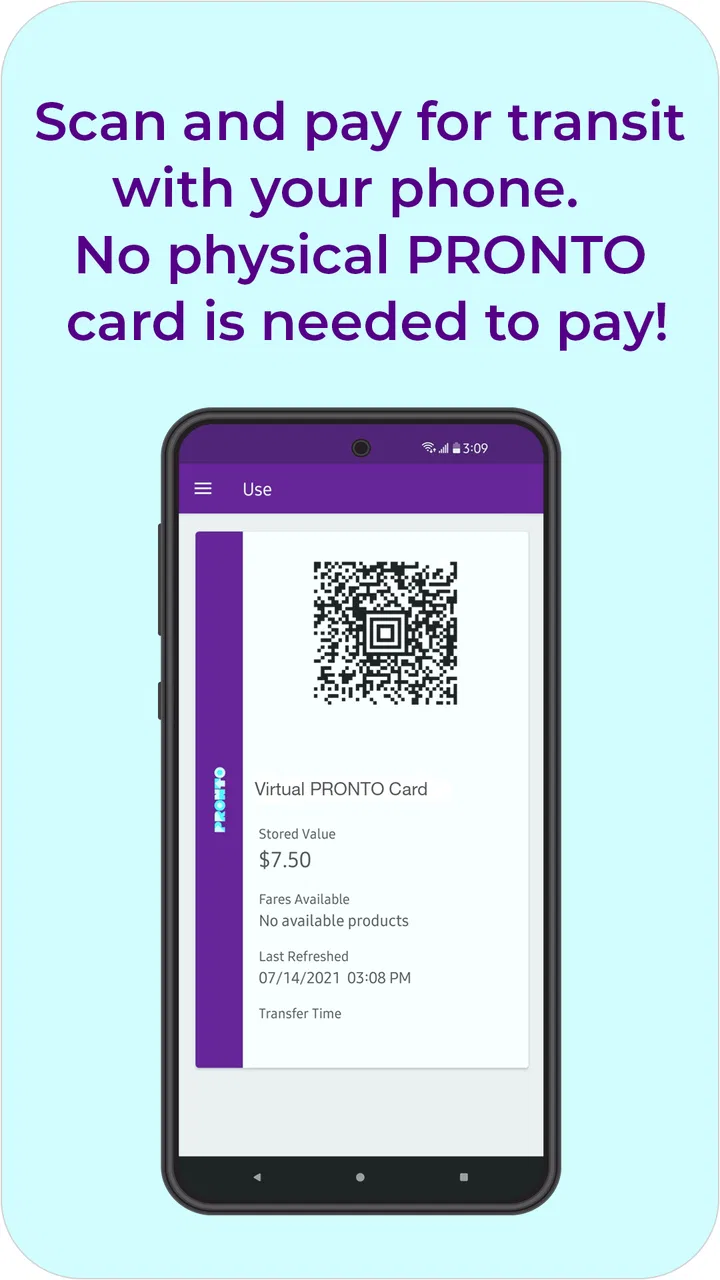
Once I know the service I intend to use, I move through the fare-purchase part of the app and make sure the selected product matches the journey. The important handoff happens here: the app handles the digital fare, while the transit vehicle, station, or inspection process determines whether I can use it successfully. That means I should not think of a completed payment as the end of the task. I still need to keep the phone available and follow whatever on-screen presentation or validation step the system requests.
This is one of the less obvious habits that makes the app more dependable. I would open it before reaching the platform, not after I see the bus arriving. A few seconds saved at the stop are not worth creating a rushed interaction with a payment screen, a weak mobile connection, or a phone battery that is almost empty. The app is convenient, but it still depends on the phone being usable at the moment the fare needs to be shown or recognized.
For a regular rider, I would make the purchase routine part of leaving the house. For an occasional rider, I would complete it while connected to reliable Wi-Fi or mobile data and then check that the fare is visibly available before walking away from the screen. That simple confirmation step is more valuable than repeatedly reopening the app once I am already boarding.
Managing a day with more than one ride
The strongest everyday use case is a day that involves several parts: perhaps a trip into the city, a transfer to another service, and a return later. In that situation, the promise of the best fare is more meaningful than it is for a single isolated ride. I do not have to build a spreadsheet of individual purchases or decide whether buying each leg separately will work out better.
My practical tip is to think in terms of the entire day before buying anything. If I know I will make an outbound trip, an appointment-time connection, and a return journey, I can make a more informed choice than if I buy the first fare that appears and reassess after every boarding. This is not about buying more than I need; it is about giving the fare system enough context to work in the way it is intended to work.
That workflow also helps when MTS and NCTD are both part of the same outing. The app’s value is not limited to one isolated vehicle or one short ride. It provides a shared fare experience across those services, which is more convenient than forcing me to switch between unrelated payment routines during a regional journey.
What the handoffs feel like in real life
Imagine I am leaving work for an appointment. I check the route separately, open Pronto, and prepare the fare before walking to the stop. At the first boarding point, my attention can stay on finding the correct vehicle rather than searching for cash or a machine. If the trip involves another service, I keep the phone accessible and make sure the fare status is ready for the next stage. On the way home, I avoid starting from zero because the app remains part of the same travel workflow.
The outcome is not dramatic, and that is exactly why I find it useful. A good fare app removes small interruptions. It reduces the number of decisions I have to make while carrying a bag, watching for a bus, or arriving somewhere on time. The benefit is strongest when the journey is familiar enough that I already know the route and only need a dependable way to handle payment.
There is another practical handoff worth remembering: the app does not replace common travel preparation. I still need to know where I am going, allow time for the service, and keep my device charged. If a friend is traveling with me, I also need to decide whether each person will manage a separate fare or whether we are coordinating the trip in another way. The app can simplify my part of the process, but it cannot make every group arrangement automatic.
Who gets the most value from it
I would recommend it first to people who regularly use San Diego MTS or NCTD and want one digital place for fares. Commuters benefit from reducing repeated ticket decisions, while students, workers, and visitors making several regional rides can appreciate not having to learn a different payment habit for every leg. It is also a sensible choice for anyone who prefers keeping travel essentials on a phone rather than carrying a separate transit card or searching for exact change.
It can be especially helpful for someone traveling across the boundary between MTS and NCTD services. That kind of trip is where a unified fare tool feels more useful than a basic app that only covers one operator. I would also consider it for a planned day out, because preparing the fare before leaving makes the rest of the itinerary less cluttered.
The age rating is Everyone, so the app is positioned for general use rather than a narrowly restricted audience. It is free to install, which makes trying it low-risk, although the fares themselves are still part of using public transport. The developer is San Diego MTS, and the app’s purpose is closely tied to the local transit network, so its usefulness is naturally much higher in San Diego than anywhere else.
Who should choose another approach
I would skip it if I rarely use MTS or NCTD and have no realistic need for their fares. Installing a local transit payment app for one unlikely journey may create more setup work than it saves. In that case, a station machine, an accepted physical payment method, or another official option may be simpler, depending on the trip.
I would also be cautious about relying on it as my only travel tool when my phone is unreliable. A nearly empty battery, a damaged screen, or inconsistent data access can turn digital convenience into a boarding problem. Carrying a backup payment plan is sensible for long days, unfamiliar routes, or situations where missing one vehicle would cause a serious delay.
Finally, people who expect a complete trip-planning service may find the experience narrower than they want. Pronto is primarily about fares. If I need detailed route comparisons, live service context, walking directions, or a broad itinerary across many transport providers, I would use a dedicated navigation or transit-planning tool alongside it rather than expecting the fare app to do every job.
Where the workflow breaks down
The main friction is that the smooth experience depends on preparation. If I begin the purchase while boarding, I am combining too many tasks: identifying the correct service, handling payment, checking the screen, and moving with other passengers. The app may be perfectly capable, but the timing is poor. My strongest advice is to complete the fare step early and verify it before the pressure of the stop or platform takes over.
Another limitation is the dependence on a personal device. A physical ticket or card can feel more resilient when a phone is shared, offline, out of power, or needed for something else. A family or group trip may also require more coordination than a solo journey, because each traveler’s fare and phone situation can be different. The app is not a universal replacement for every physical or cash-based habit.
There is also a learning curve around fare choices. The best-fare promise is useful, but I still need to pay attention to what I am purchasing and how it relates to my planned rides. I would not tap through screens mechanically. I would check the service coverage and travel plan first, especially if the day includes both MTS and NCTD. The app can reduce fare uncertainty, but it cannot compensate for choosing the wrong travel arrangement.
For that reason, I see it as a companion to route information, not a substitute for it. I might use a map or transit planner to decide where and when to travel, then use Pronto to handle the fare. Keeping those roles separate makes the workflow clearer and prevents disappointment when the payment app does not answer a navigation question.
Version, support expectations, and daily reliability
The current version is 4.134.0, and the app supports Android 8.0 or later. That makes the compatibility requirement worth checking before installing it on an older phone. On a supported device, I would still keep the application updated because fare systems are operational tools: changes to payment handling or transit integration matter more here than they might in a casual app.
Its rating profile gives me reasonable confidence that many riders find it useful, but ratings should not replace a personal test before an important journey. I would install it, complete the account and payment setup in advance, and use it on a low-pressure trip first. That trial reveals whether the interface, phone, and payment method fit my routine without risking a missed connection.
One advanced habit I would keep is separating “fare ready” from “trip finished.” After purchasing, I would confirm the active fare, keep enough battery for the entire outing, and avoid burying the app under other tasks if I expect to need it again. That is a small operational detail, but it is the difference between using a digital fare tool confidently and discovering its limitations at the exact moment I need it.
My final take on the complete journey
Pronto - San Diego succeeds when the problem is specific: I need to pay for MTS or NCTD travel, I want the fare process in one place, and I am willing to prepare before boarding. Its best quality is not flashy navigation; it is the way it connects the beginning of a trip with the fare handoff at the vehicle or station. For regular regional riders, that can remove a surprising amount of small daily friction.
I would recommend it to a friend who uses these services often, especially for multi-ride days or journeys involving both operators. I would not present it as a complete travel planner or as a replacement for backup preparation. The phone, connection, battery, and correct fare choice still matter, and physical alternatives can be better when those conditions are uncertain.
Overall, this is a focused, free travel app with a clear local purpose. If San Diego MTS or NCTD is part of your normal routine, I think the setup is worth the effort. If your trips are rare or your phone is not dependable, the usual station or physical-payment option may be less stressful. The best way to use it is to prepare the fare before the journey becomes urgent.
FAQs for Pronto - San Diego
01What is Pronto - San Diego used for?
Pronto - San Diego is the official mobile app for using and managing public transportation services in the San Diego region. After installing it, users can create or access a Pronto account, add funds, purchase eligible passes, and use supported transit options. It is designed to make paying fares and managing transit access more convenient than using a physical card alone.
02Can I use the Pronto - San Diego app to pay for bus and trolley rides?
Yes, the app is intended to support fare payment on participating San Diego Metropolitan Transit System and North County Transit District services. Depending on the current fare rules and your account setup, you may be able to use a mobile ticket, a digital Pronto card, or another supported payment method. Always check the app before traveling because accepted services and fare products can change.
03Do I need to create an account before using Pronto - San Diego?
An account is generally recommended because it allows you to manage your balance, purchase passes, protect your fare products, and access your Pronto information across supported devices. Some features may be available without completing every account step, but account registration is the safer option if you plan to use the app regularly. You may need to verify your email or personal details.
04Does Pronto - San Diego work without an internet connection?
The app may require an internet or mobile-data connection for signing in, adding money, buying passes, synchronizing account information, and completing certain updates. Some previously loaded fare credentials may remain available temporarily, but you should not assume that every function works offline. Before leaving, open the app, confirm your pass or balance is visible, and keep your phone charged.
05Is Pronto - San Diego free to download, and are there additional costs?
Pronto - San Diego is generally free to download from the official Android or iOS app store, but using the app does not make public transportation free. You still need to pay the applicable fares for your trips, passes, or stored-value purchases. Depending on the payment method, transaction rules, or account activity, your bank or card provider could also apply separate charges.
Pros
- Fast access to San Diego public transit information and trip planning.
- Real-time arrival updates help reduce waiting at stops and stations.
- Supports mobile ticket purchases for more convenient boarding.
- Useful service alerts keep riders informed about delays and disruptions.
- Clean interface makes routes
- schedules
- and nearby stops easy to find.
Cons
- Real-time data may occasionally be delayed or inaccurate.
- Some routes and features require a reliable internet connection.
- Ticket options and coverage can vary by participating transit service.
- Push notifications may require careful setup to avoid missed alerts.
- The app is mainly useful for San Diego-area riders and visitors.

Pronto - San Diego
Gallery